
Cosmetics
Apply the discount. Keep checkout moving.
Find items by barcode or name, apply the customer’s discount and print the receipt. Sell for cash or on credit while keeping remaining stock and customer balances in view.
From checkout to accounts and stock
These screenshots show shared Alphabase features. Product names and groups are configured for your cosmetics shop.
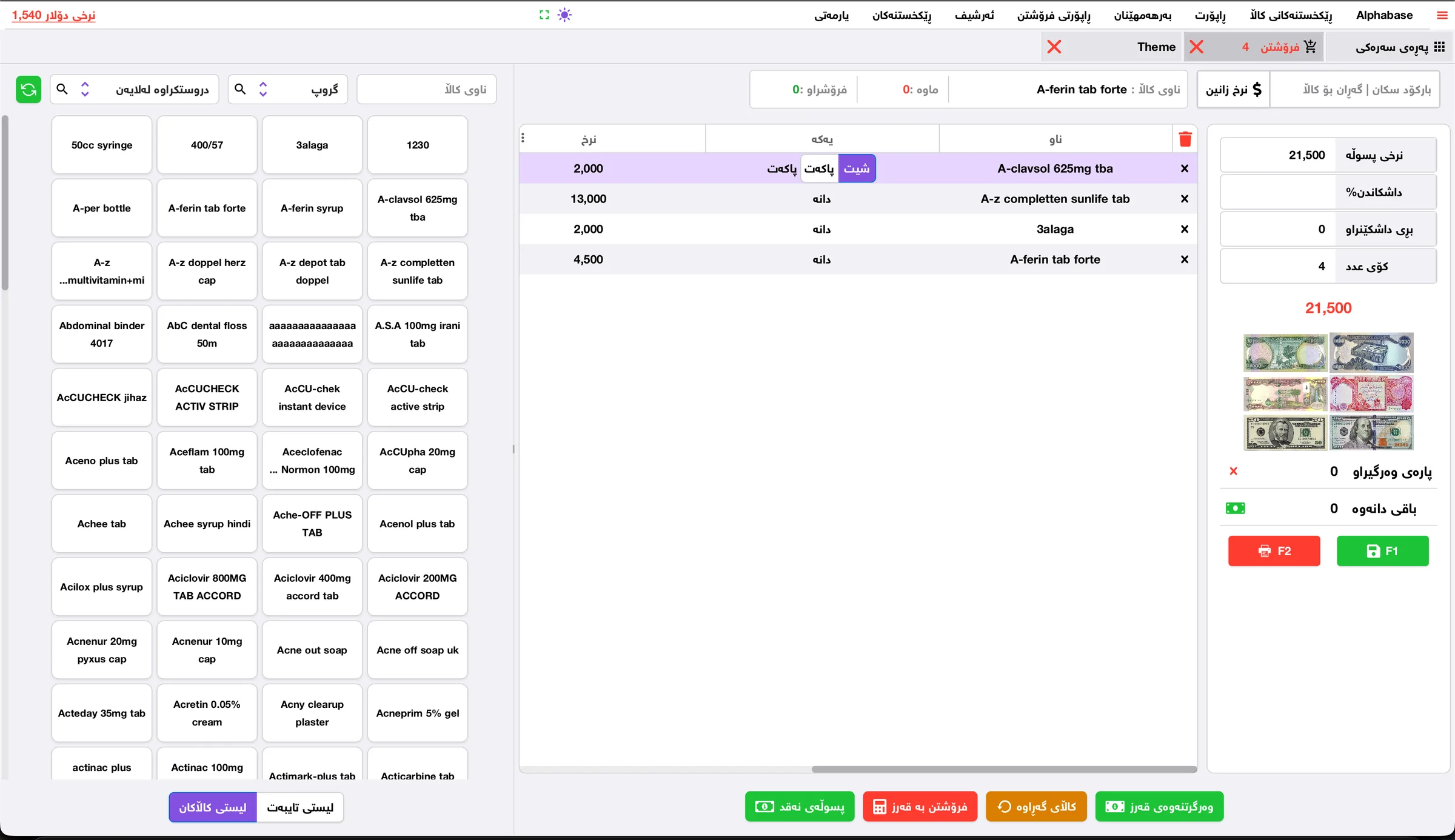
Checkout and invoice discounts
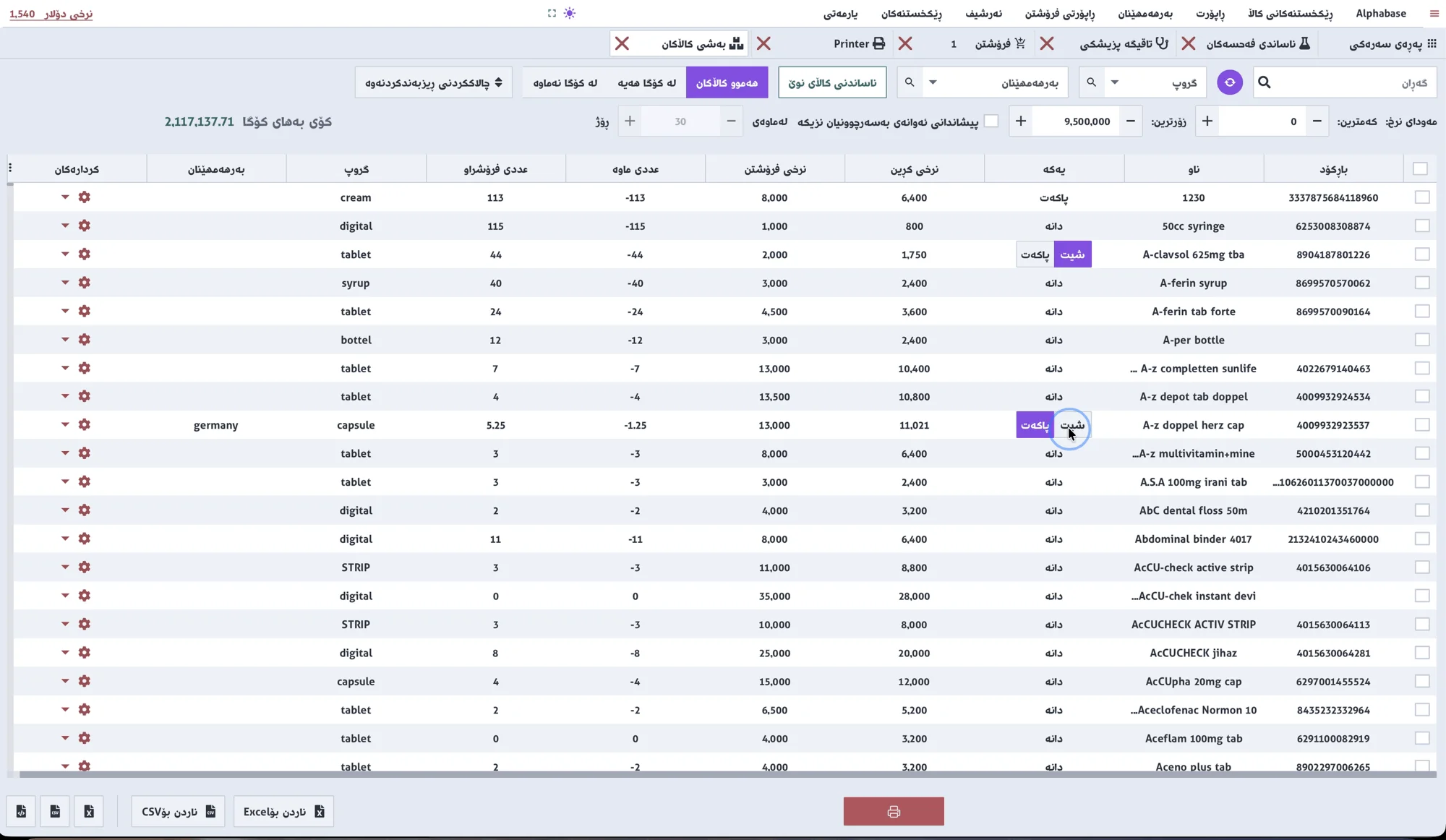
Products and remaining stock
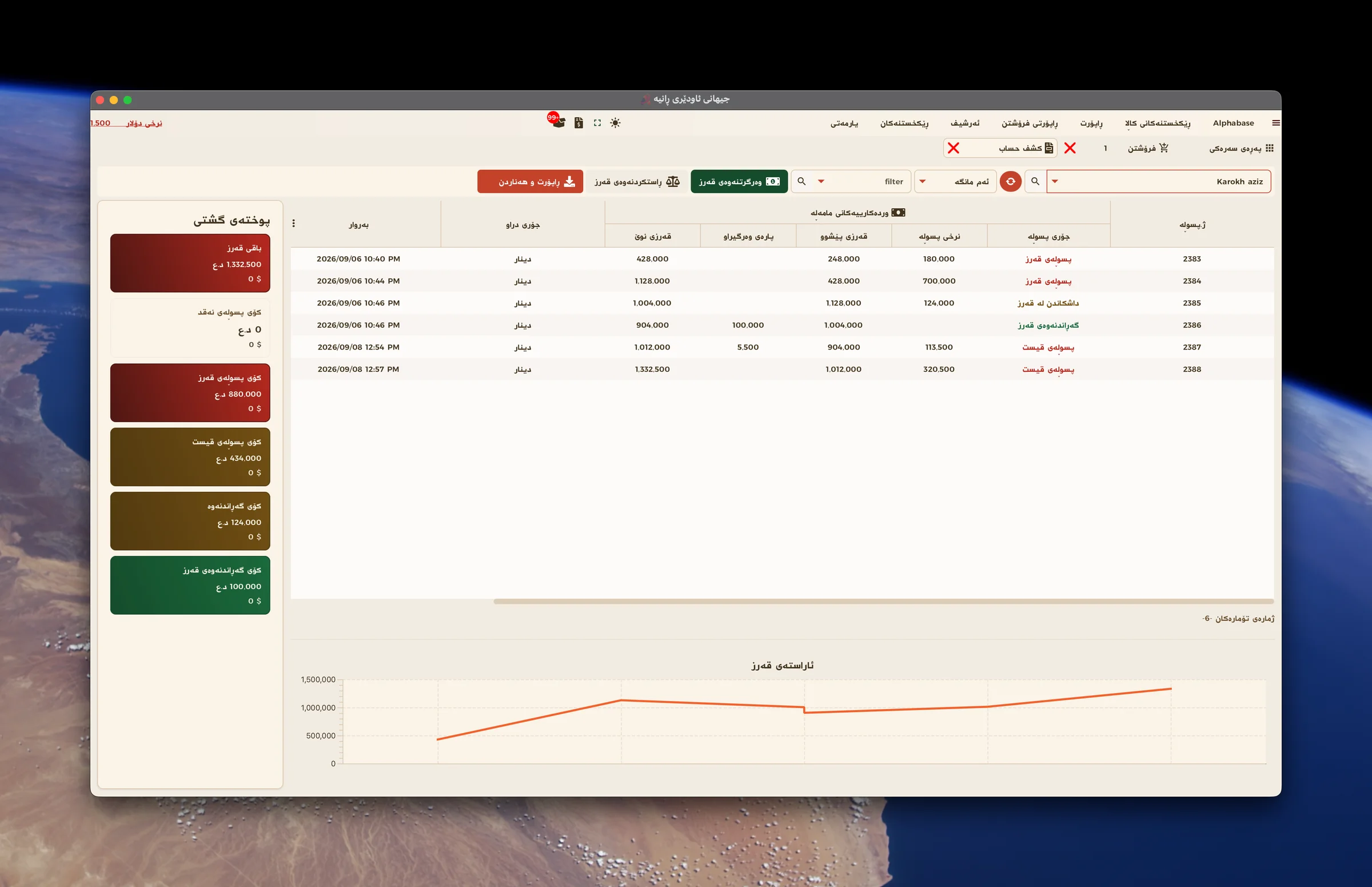
Customer credit and payments
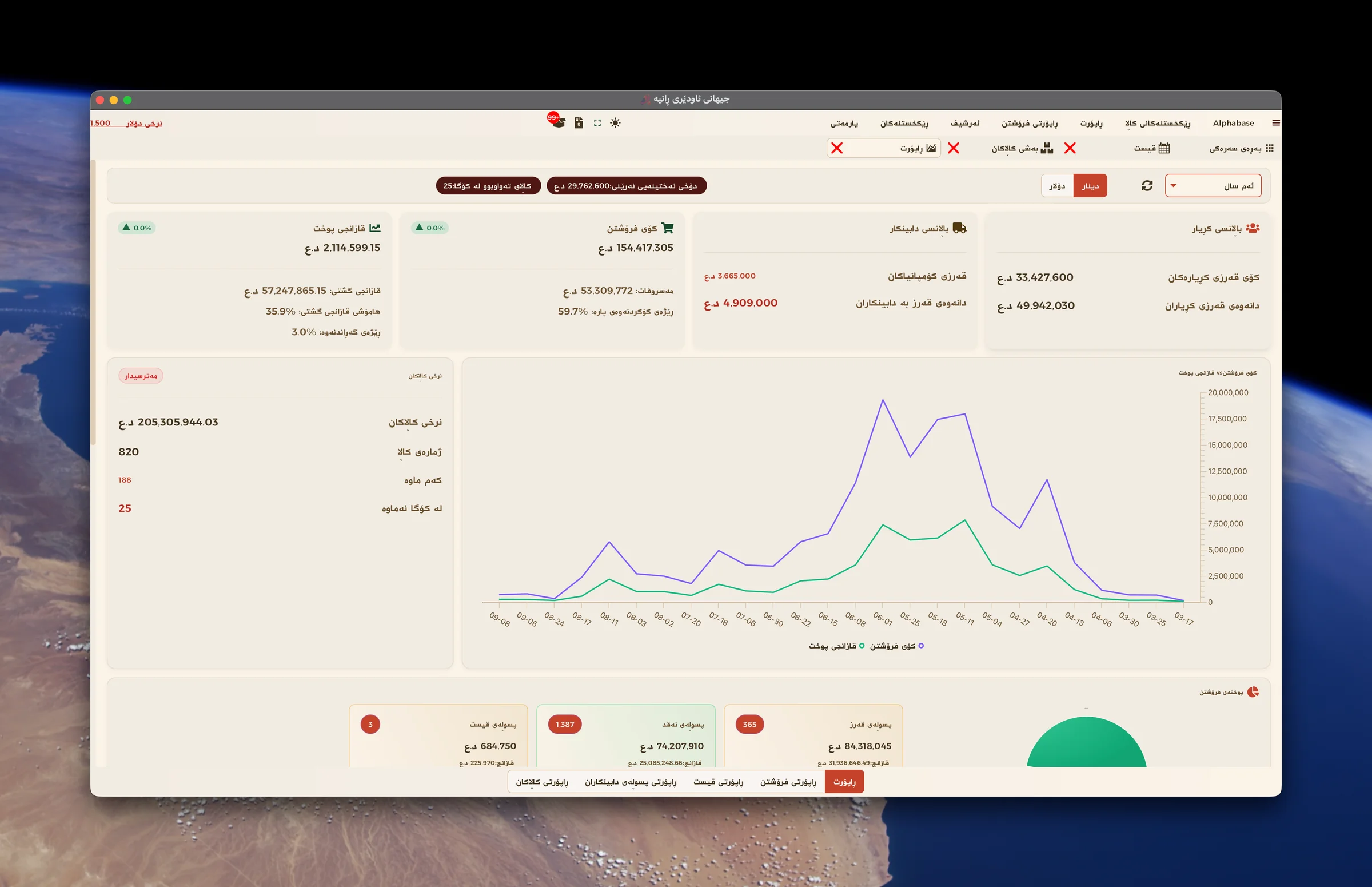
Sales, profit and balances
Daily problems
How Alphabase helps
What costs you time and money today.
Checkout slows down when the shop is busy?
Add products by barcode or name and complete the receipt on the same screen.
Calculating discounts by hand?
Apply the discount on the invoice and see the resulting total clearly.
Customer debts live in a notebook?
Keep credit sales and payments in each customer’s account.
Unsure which products are running low?
Review remaining quantities and low-stock items to plan purchases.
How the work flows
- 01Find the product
- 02Apply the discount
- 03Choose cash or credit
- 04Print the receipt
- 05Review balances and stock
Relevant features
Quick customer discounts
Apply an invoice discount directly at checkout. See the discount amount and final total without calculating them by hand.
Checkout and receipts
Find items by barcode, name or group. Set the quantity, take payment and print the receipt.
Credit and partial payments
Record the amount received and leave the remainder on the customer’s account. Record repayments when the customer pays.
Customer statements
Review each customer’s invoices, payments and remaining balance together.
Stock and low quantities
See remaining quantities, sold-out items and products to reorder. Organize perfume, makeup and skincare into groups.
Expiry dates
Record product expiry dates and review items approaching expiry so they are not forgotten in stock.
Purchases and suppliers
Record incoming products and purchase invoices, with amounts paid and balances owed to suppliers.
Sales and profit reports
Review sales, discounts and profit, and see which products sell most.
Devices and integrations
- Checkout computer
- Barcode scanner
- Receipt printer
- Cash drawer
Frequently asked questions
Calculating discounts by hand?
Apply the discount on the invoice and see the resulting total clearly.
Customer debts live in a notebook?
Keep credit sales and payments in each customer’s account.
Unsure which products are running low?
Review remaining quantities and low-stock items to plan purchases.
Ready to start?
Contact us for a real demo built around your own business.