
Grocery & Market
Faster checkout. Clearer accounts.
Connect checkout, purchasing, inventory and customer accounts. Scan labels printed by your smart scale to read the item weight directly into Alphabase. Keep daily work running offline.
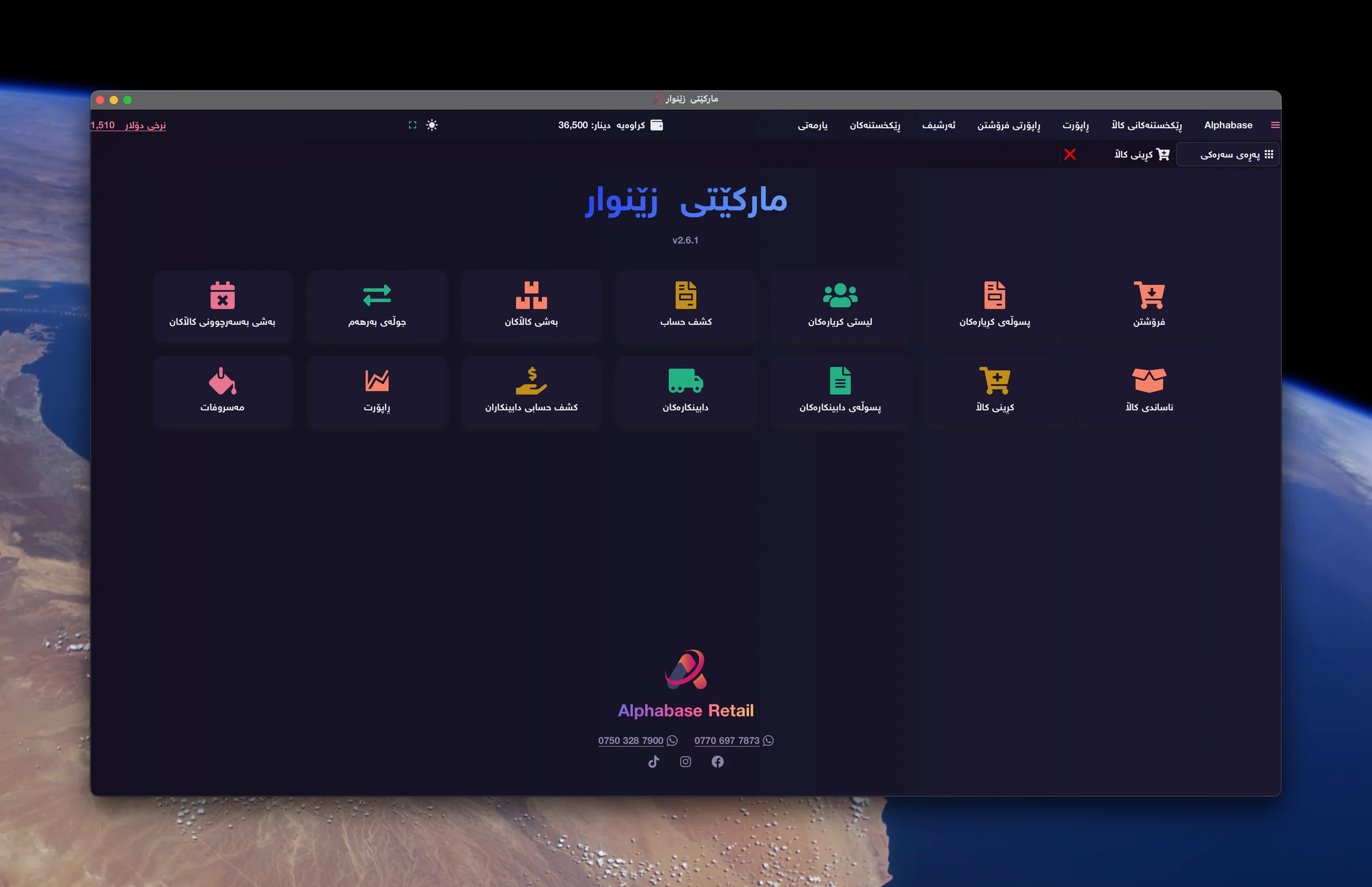
See your market in action
Barcode checkout
Watch this workflow in the actual market application.
Products and stock
Watch this workflow in the actual market application.
Expiry tracking
Watch this workflow in the actual market application.
Purchasing and receiving stock
Watch this workflow in the actual market application.
Daily problems
How Alphabase helps
What costs you time and money today.
Typing prices and weights slows down a busy checkout.
Scan the product barcode or scale label; weight is read automatically.
It is difficult to keep track of stock and expiry dates.
Review item quantities and expiry dates in the stock screens.
Accounts and debts are spread across notebooks.
See customer payments and outstanding balances in one system.
How the work flows
- 01Purchase goods
- 02Receive stock
- 03Scan the barcode
- 04Complete checkout
- 05Review accounts
Relevant features
Smart scale labels
Scan the barcode on a label printed by your smart scale. Alphabase reads the item weight directly from that label, without typing it manually.
Barcode checkout
Scan a barcode or choose an item from the list. Set quantities and discounts, then complete the invoice.
Stock and product search
Find items by name, barcode or category. Review quantities and prices to plan your next purchase.
Expiry tracking
Record product expiry dates and review them in the expiry section to identify stock that needs attention.
Purchases and suppliers
Record purchase invoices, received goods and purchase returns. Keep track of supplier payments and balances.
Customer accounts
Track cash and credit sales, customer payments and outstanding balances.
Reports and offline work
Review sales, expenses and profit. Work in dollar and dinar, in Kurdish, Arabic or English, without an internet connection.
Devices and integrations
- Barcode scanner
- Smart scale labels
- Receipt printer
- Cash drawer
Frequently asked questions
Do I need to type the weight?
No. Scanning the barcode on the scale label lets Alphabase read the item weight directly.
Can I try my own scale labels?
Yes. Bring a sample label and the scale model to your demo so we can check your setup together.
Can I sell without internet?
Yes. Daily sales and accounts work offline.
Ready to start?
Contact us for a real demo built around your own business.