
Electronics
Find the device your customer wants
Filter by RAM, screen, battery, processor and price. Add the right product to a sale, create an invoice and follow customer balances and installments in one place.
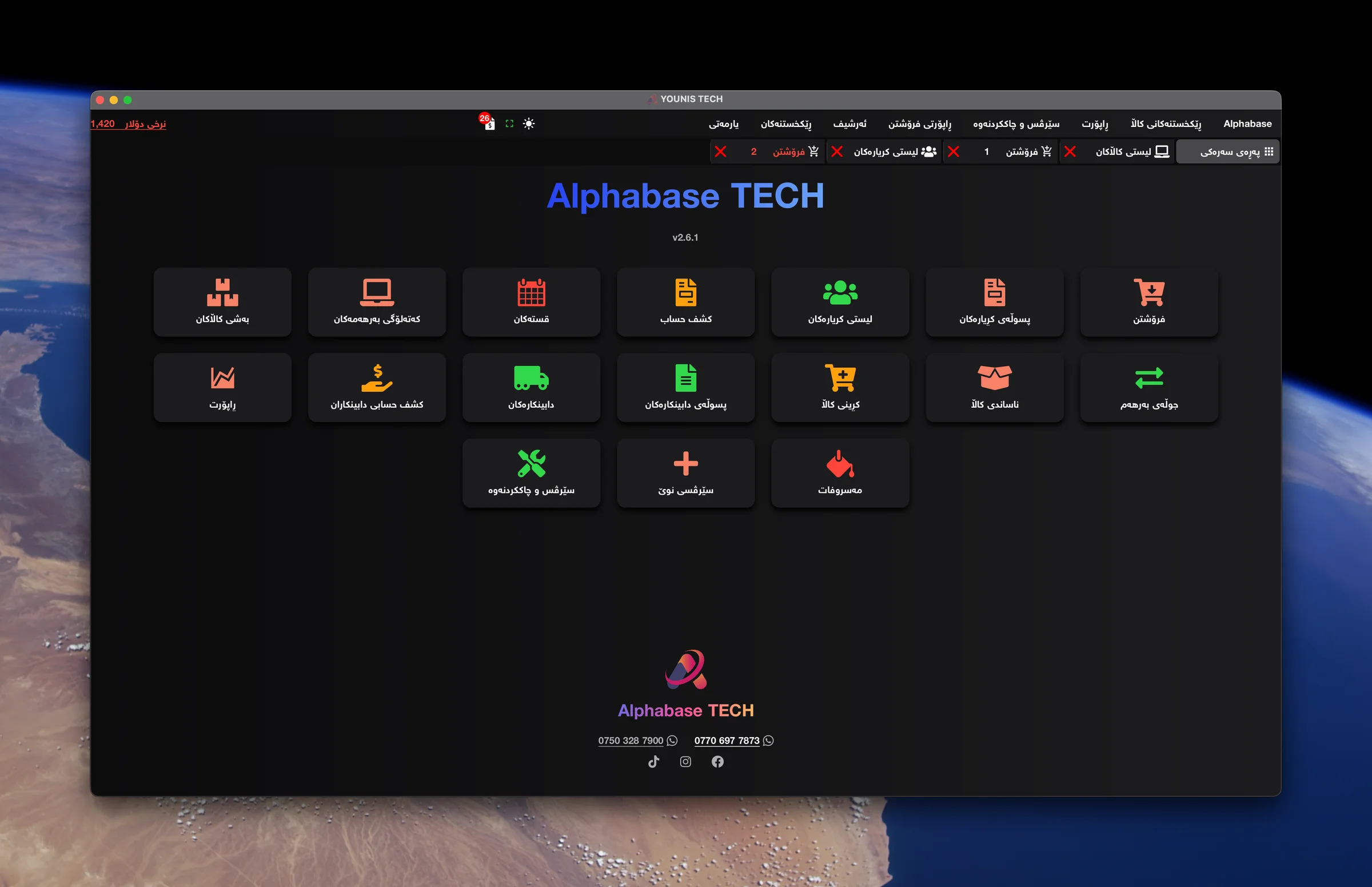
Find the right product with catalog filters
Filter by RAM, processor, storage, screen size and price to find products that fit your customer’s needs. Review pictures, specifications, prices and remaining quantities, then add the chosen product to the sale.
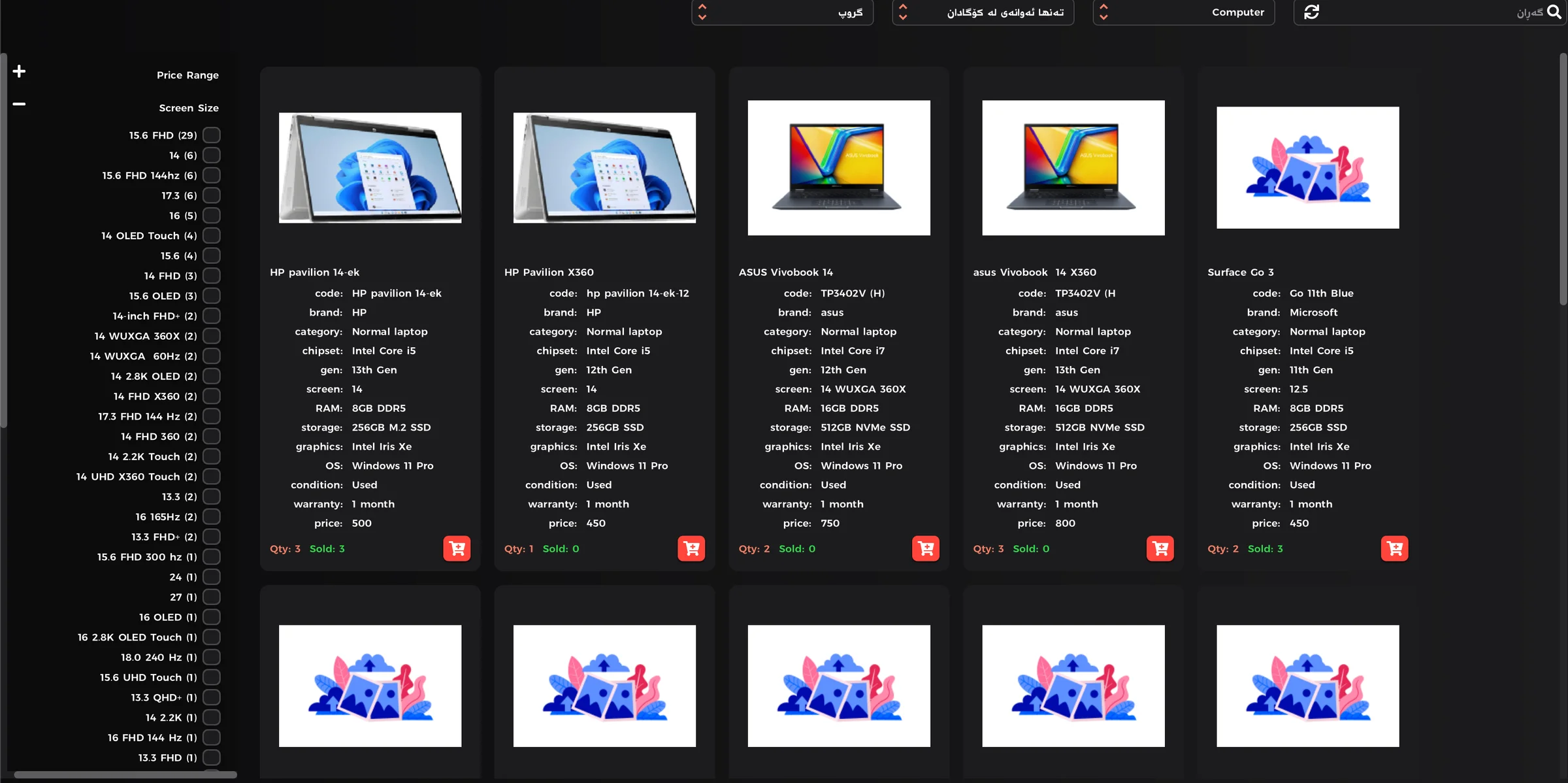
A quotation before the customer decides
Not ready to buy yet? Prepare a quotation with product names, prices, pictures and specifications. Give the customer a clear reference to compare options and discuss with others before making a purchase.
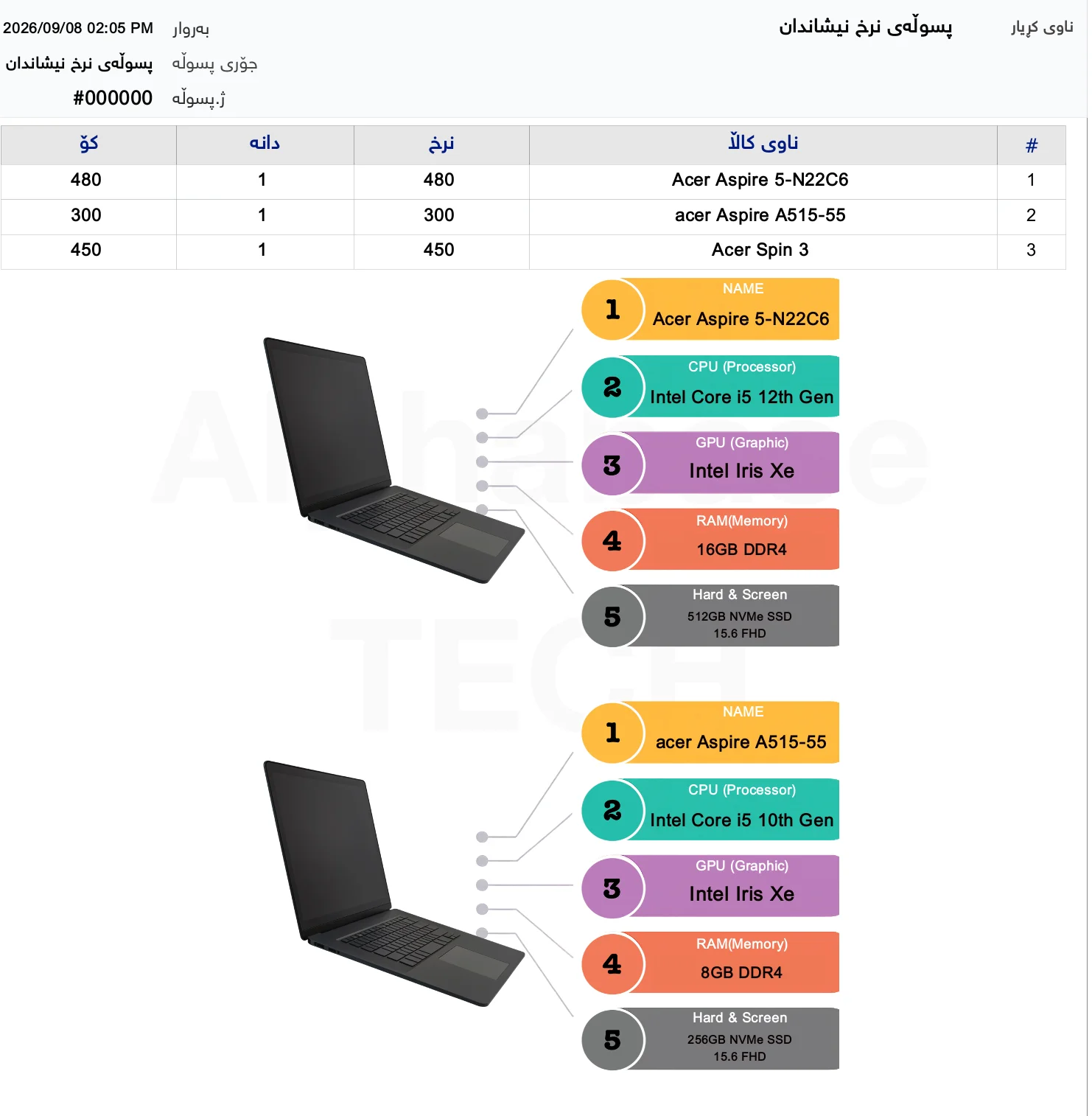
A clear view of your shop
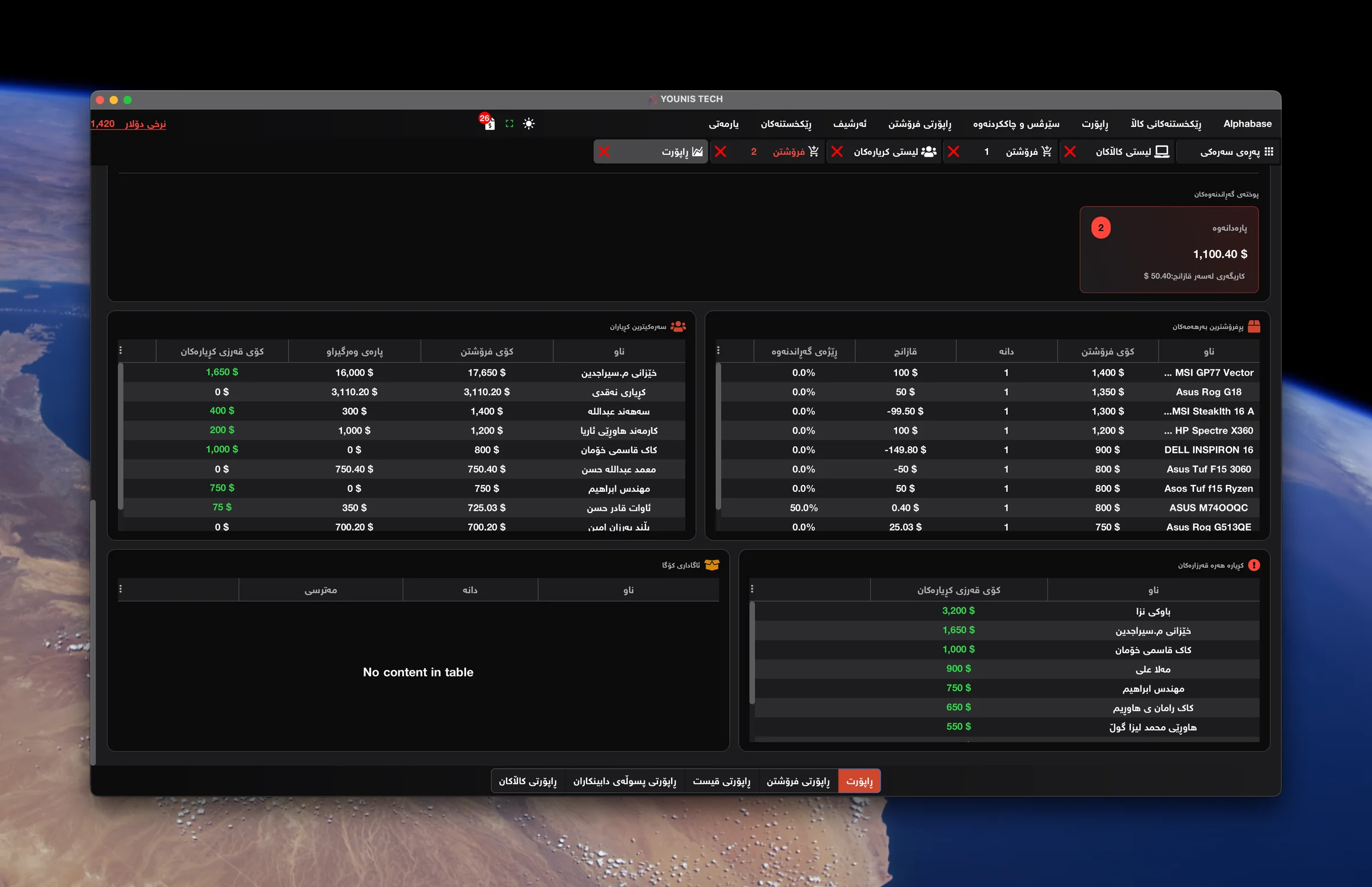
Best sellers and customer debts
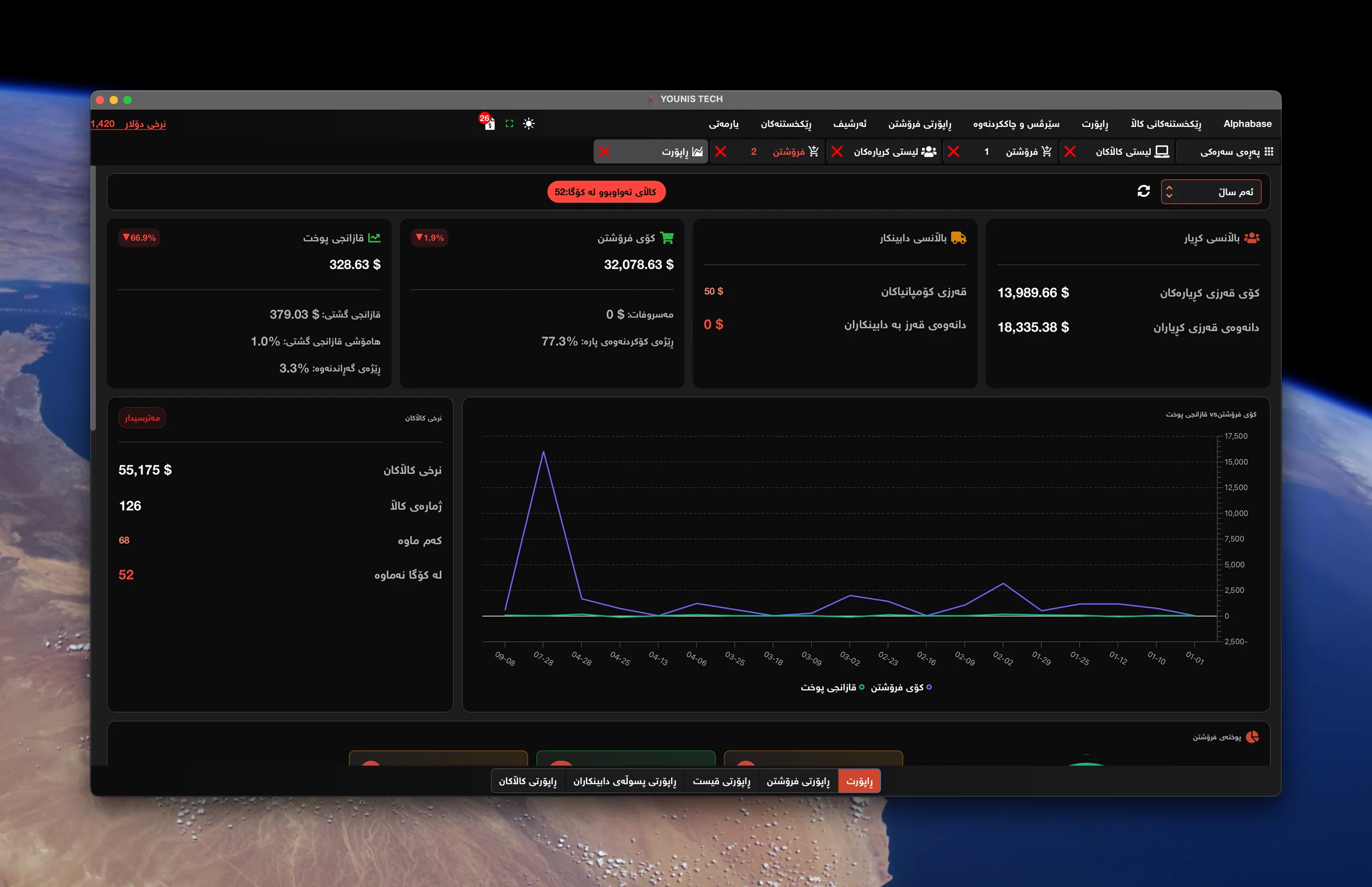
Sales, profit and balances
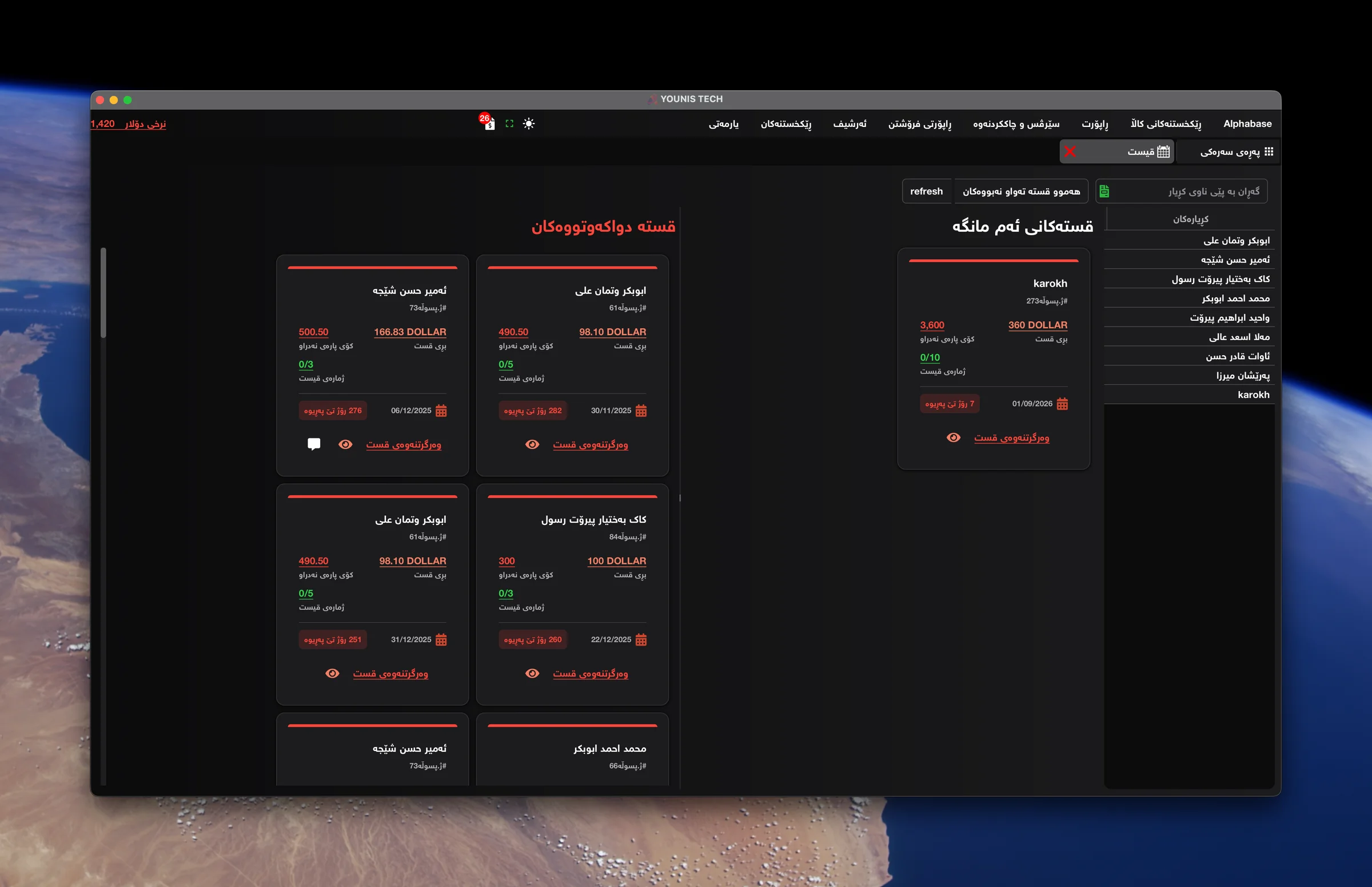
This month’s and overdue installments
Daily problems
How Alphabase helps
What costs you time and money today.
Finding a device with the right specs and budget takes time?
Filter the catalog by RAM, screen, battery, processor and price.
Customer balances are spread across notebooks?
Keep invoices and payments in each customer’s account.
Unsure whose installment is due?
See this month’s installments and overdue payments.
Hard to see your best-selling products and profit?
Review sales, profit and best-selling products in reports.
How the work flows
- 01Filter by specifications
- 02Add the product to the sale
- 03Choose cash, credit or installments
- 04Give the customer an invoice
- 05Review balances, profit and installments
Relevant features
A catalog that narrows the choice
Filter by RAM, screen, battery, processor and price to find models that match the customer’s needs and budget.
From catalog to invoice
Select a product and add it directly to the sale. Prepare the invoice for cash, credit or installment payment.
Keep track of installments
Set amounts and due dates. See what is due this month, which payments are overdue and what remains unpaid.
Handle phone trade-ins
Take the customer’s old phone in exchange for a new one and manage the trade-in transaction in Alphabase.
Customer and supplier balances
See what customers owe, the payments you have received and what your shop owes suppliers and companies.
Profit and best sellers
Review sales, profit and loss, and best-selling products to see which models sell most.
IMEI and serial
Each device is recorded and tracked by its unique number.
Warranty
The warranty period is tied to the invoice and found by search.
Repairs
Intake, fault description, cost and job status.
Accessories
Barcodes, units and stock control for small items.
Devices and integrations
- Barcode scanner
- Receipt printer
- Label printer
- Cash drawer
Frequently asked questions
Can I find products by specifications?
Yes. Filter by RAM, screen, battery, processor and price, then add the selected product to the sale.
Does it support credit and installments?
Yes. Create credit or installment invoices and track payments and remaining balances.
Can I accept a customer’s old phone?
Yes. Mobile shops can handle old-for-new phone trade-ins.
Ready to start?
Contact us for a real demo built around your own business.