
Restaurant, Café & Fast Food
Your restaurant. Your way of working.
Manage tables, takeaway, delivery and kitchen orders for a restaurant, café or fast-food shop. Switch off an unused feature in settings and its section disappears from your application.
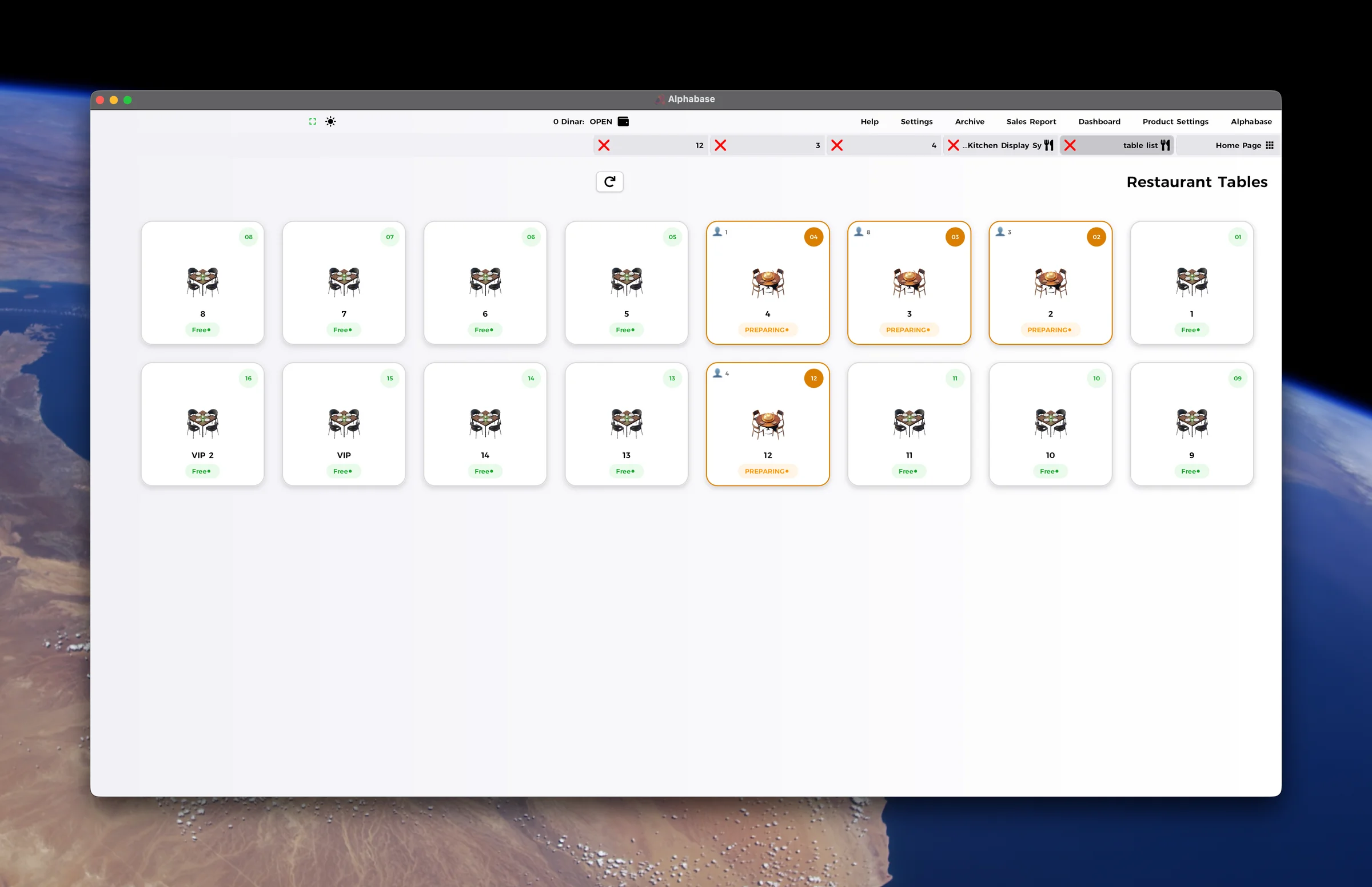
From the table to the kitchen
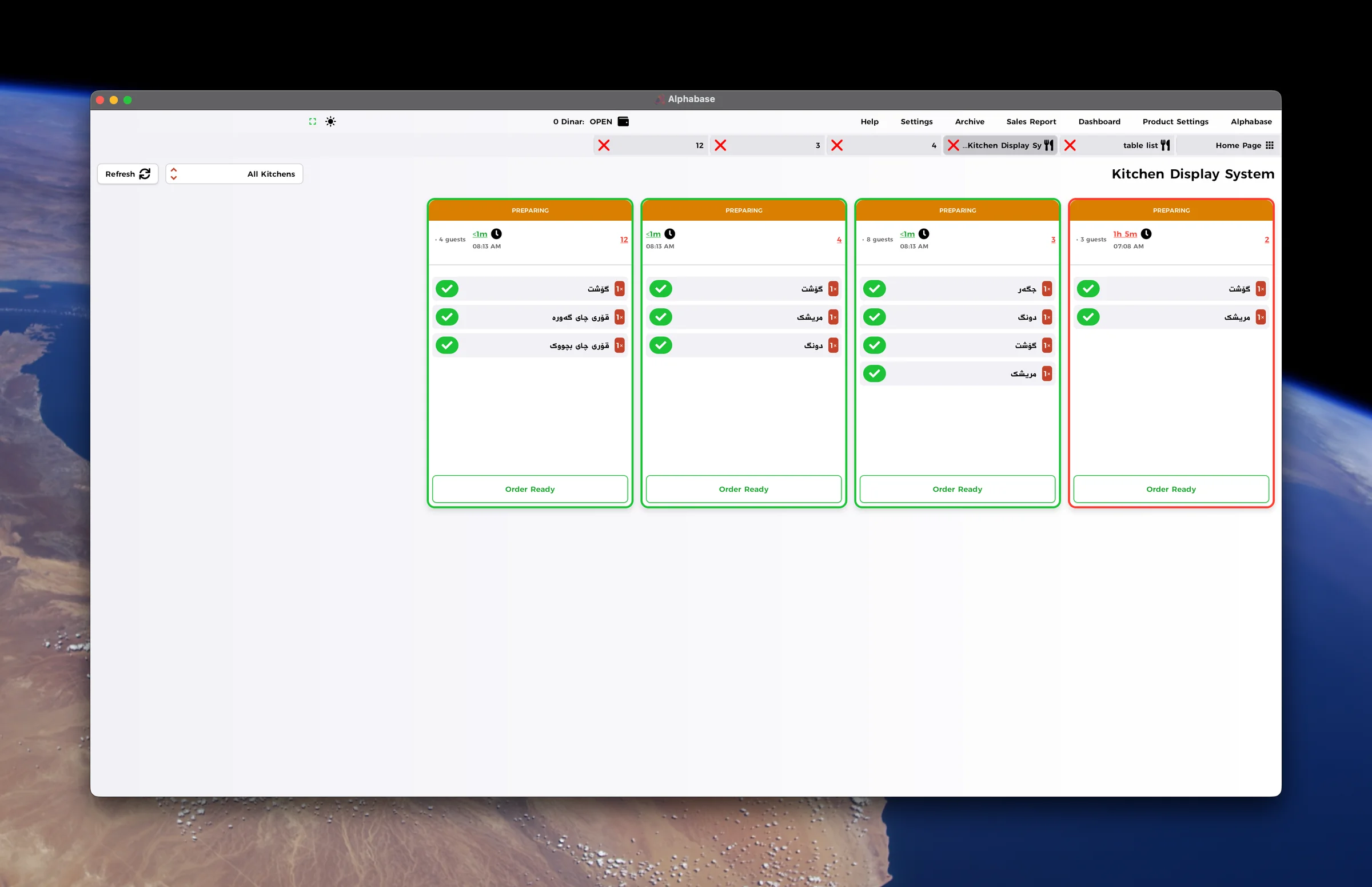
Follow orders through the kitchen
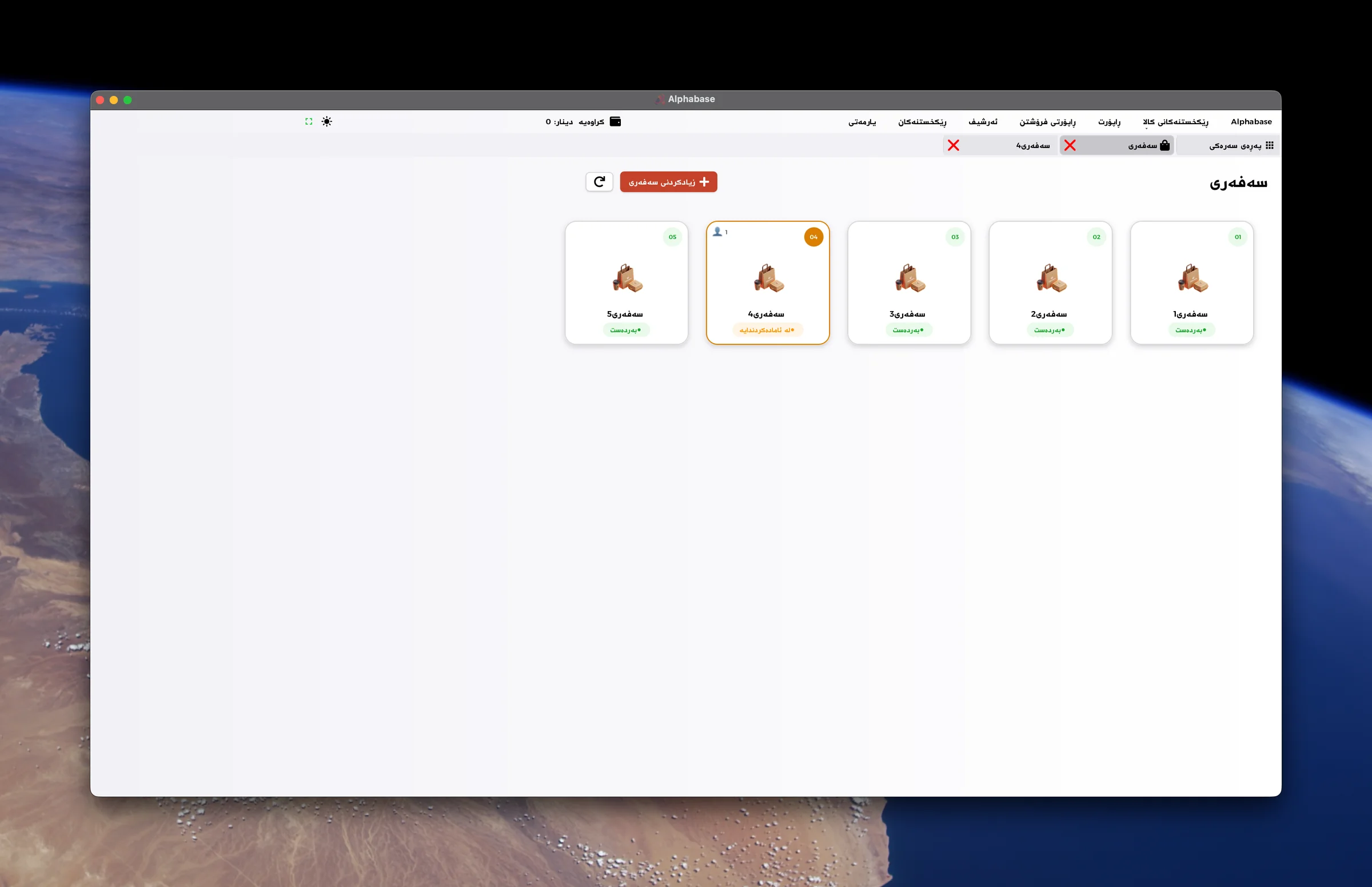
A dedicated takeaway view
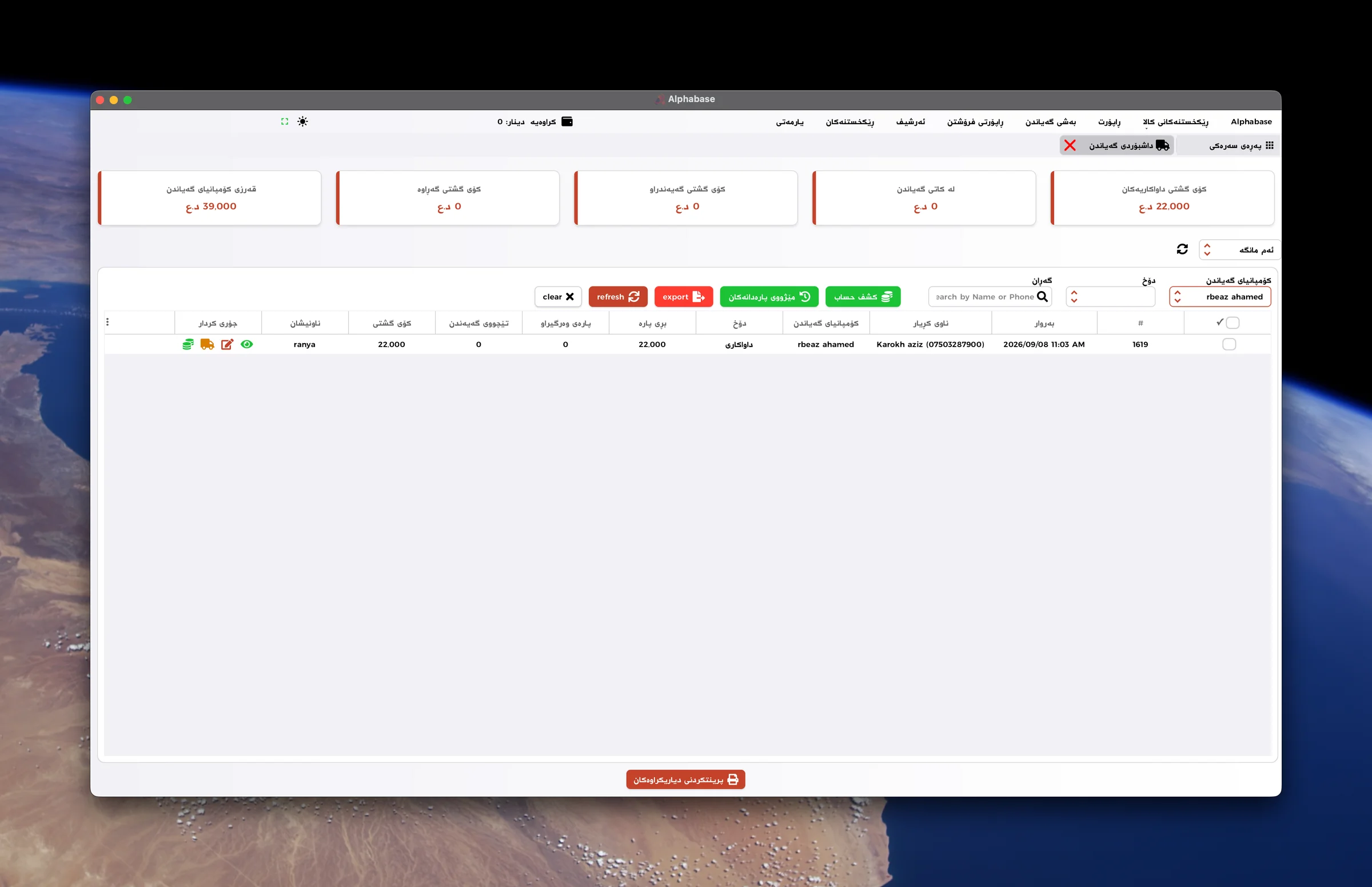
Delivery orders and balances
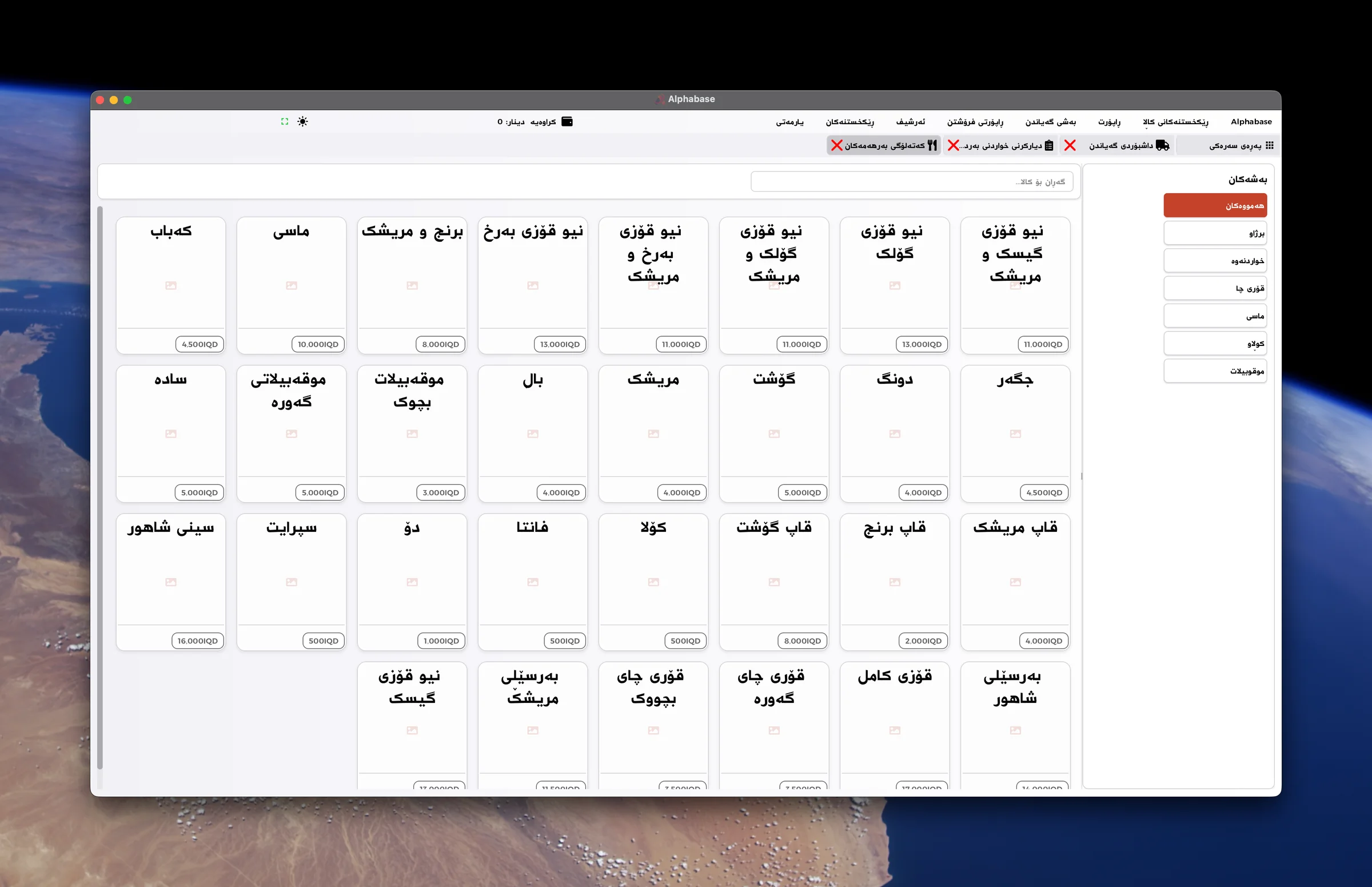
Browse the food and drink catalog
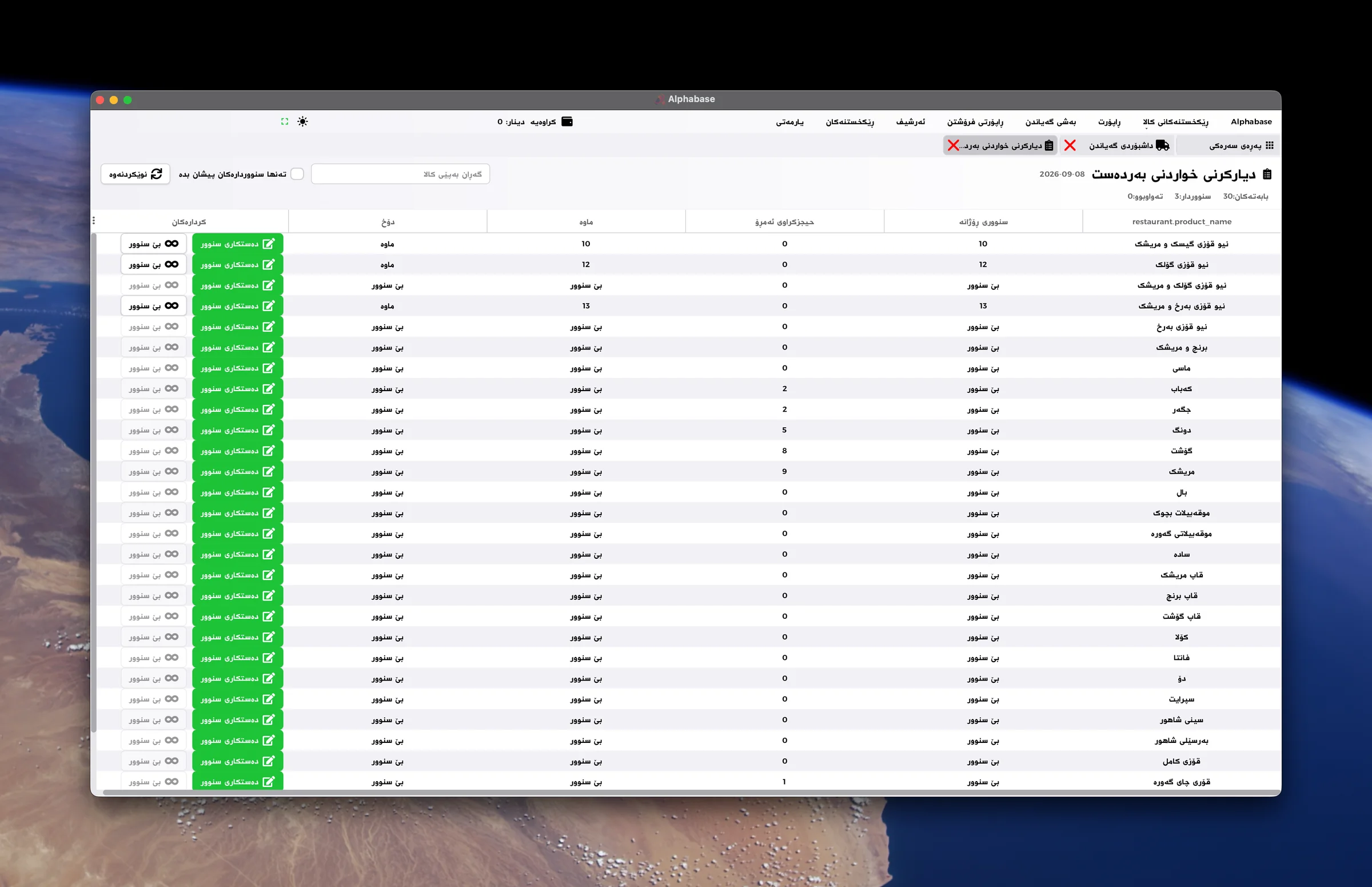
See remaining portions for the day
Daily problems
How Alphabase helps
What costs you time and money today.
Dine-in, takeaway and delivery orders get mixed up.
Keep each service type in its own workflow.
It is hard to see which orders are ready or delayed.
See dishes, waiting times and preparation status on the kitchen display.
A dish runs out while orders are still coming in.
Set daily food limits and monitor remaining portions.
Unused features clutter the application.
Disable the modules you do not need to remove them from the interface.
How the work flows
- 01Choose service type
- 02Add items
- 03Send to kitchen
- 04Prepare the order
- 05Settle the bill
Relevant features
Only the features you need
No delivery service? Turn delivery off to hide its buttons and sections. Enable takeaway, smart menu and daily food limits to match your operation.
Flexible dine-in tables
Configure tables to suit your space. See free tables, guest counts and the preparation status of each order.
Takeaway orders
Create and follow takeaway orders in a dedicated view, separate from dine-in tables.
Delivery management
Review delivery orders, customer addresses, delivery companies and collected payments. Track order status and balances from the delivery dashboard.
Kitchen display and printing
See order items, waiting times and readiness. Filter by kitchen and configure printing for separate preparation stations.
Daily food availability
Set the available portions for each dish. See ordered and remaining quantities, and leave items unlimited when no cap is needed.
QR menu and ordering
Create a menu QR code in settings. Guests scan it on their phones to browse the menu and place an order.
Food and drink catalog
Browse dishes and drinks by category with their prices in the product catalog.
Daily accounts and reports
Review sales and shift accounts. Configure receipt printing, staff permissions and other Alphabase modules around your business.
Devices and integrations
- Kitchen display
- Kitchen printer
- Receipt printer
- Touchscreen
- Phone or tablet for the menu
Frequently asked questions
Can a café hide delivery completely?
Yes. Disable delivery and keep only the sections you use. Disabled delivery buttons and sections disappear from the interface.
Can fast-food shops use takeaway and delivery together?
Yes. Enable both and manage each in its dedicated workflow.
How do guests order through QR?
Guests scan the menu QR code, select items and submit an order. Enable smart menu and configure its accessible menu address in settings.
Ready to start?
Contact us for a real demo built around your own business.