
Furniture Stores
From choosing furniture to the final installment
Group sofas, bedroom furniture, tables and chairs so they are easy to find. Create invoices and manage sales, customer credit and installments in one place.

Sales, balances and installments together
These screenshots show the shared Alphabase system. Products and groups are configured for your furniture shop.
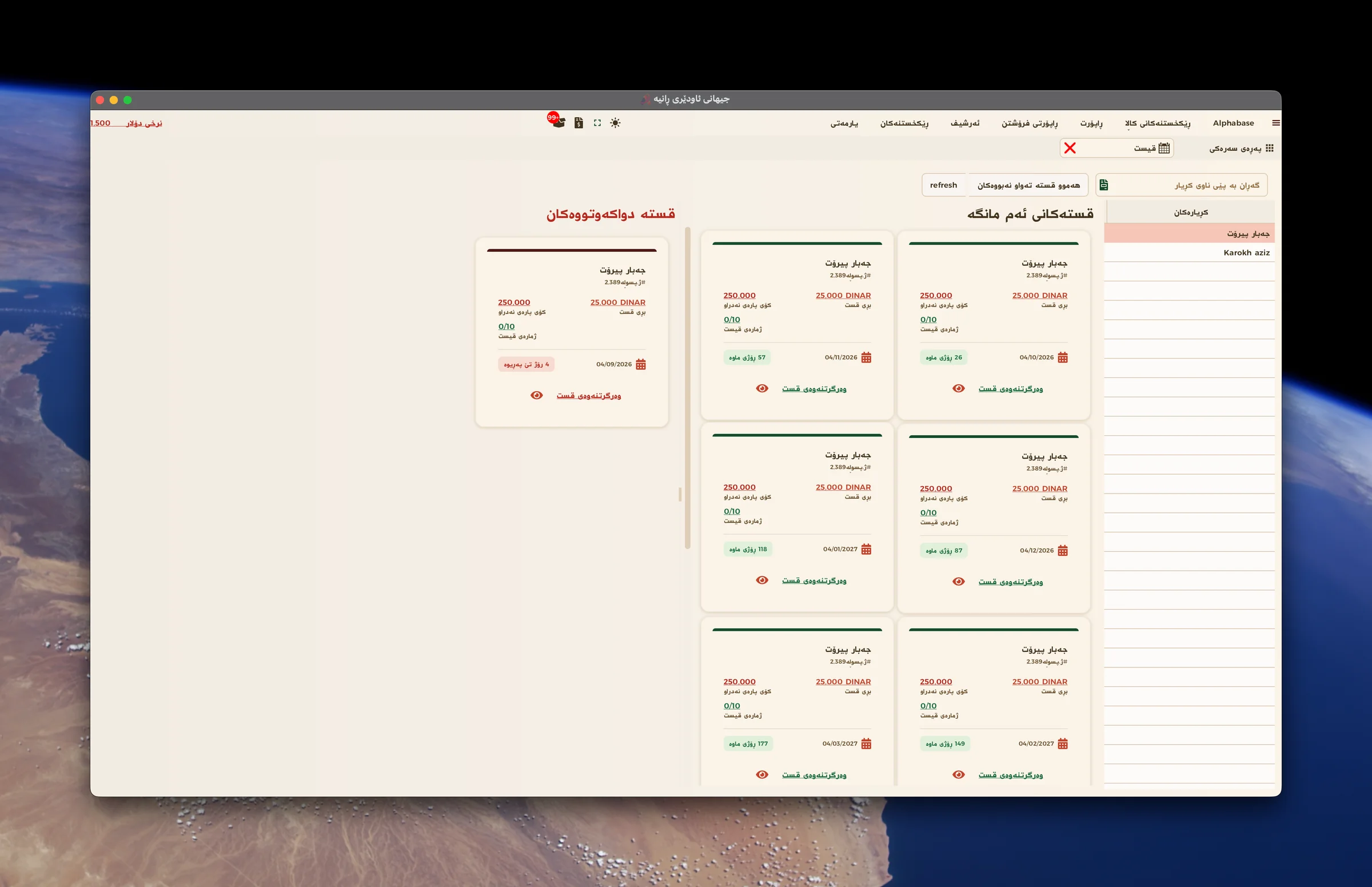
Due and overdue installments
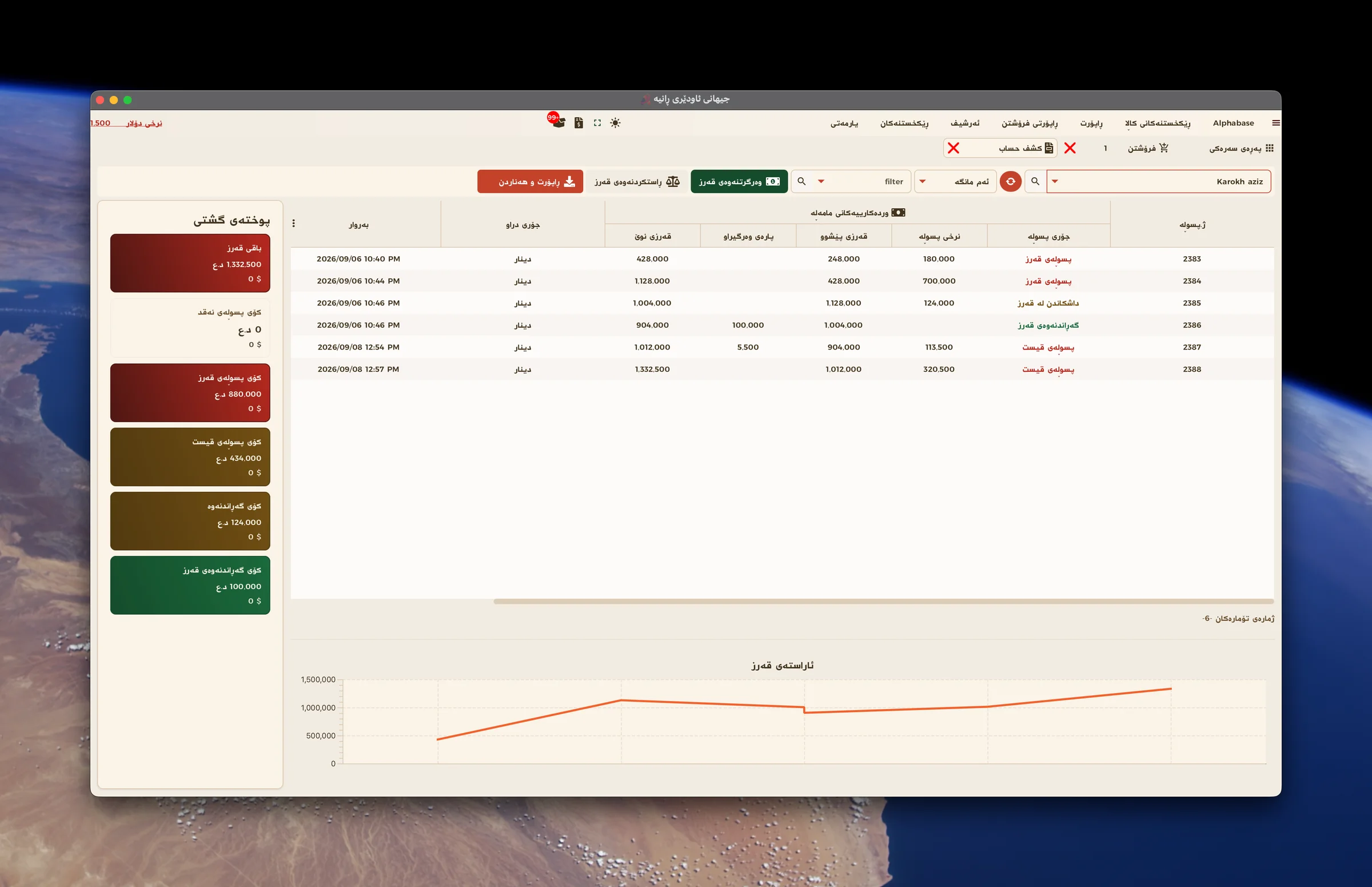
The customer’s complete statement
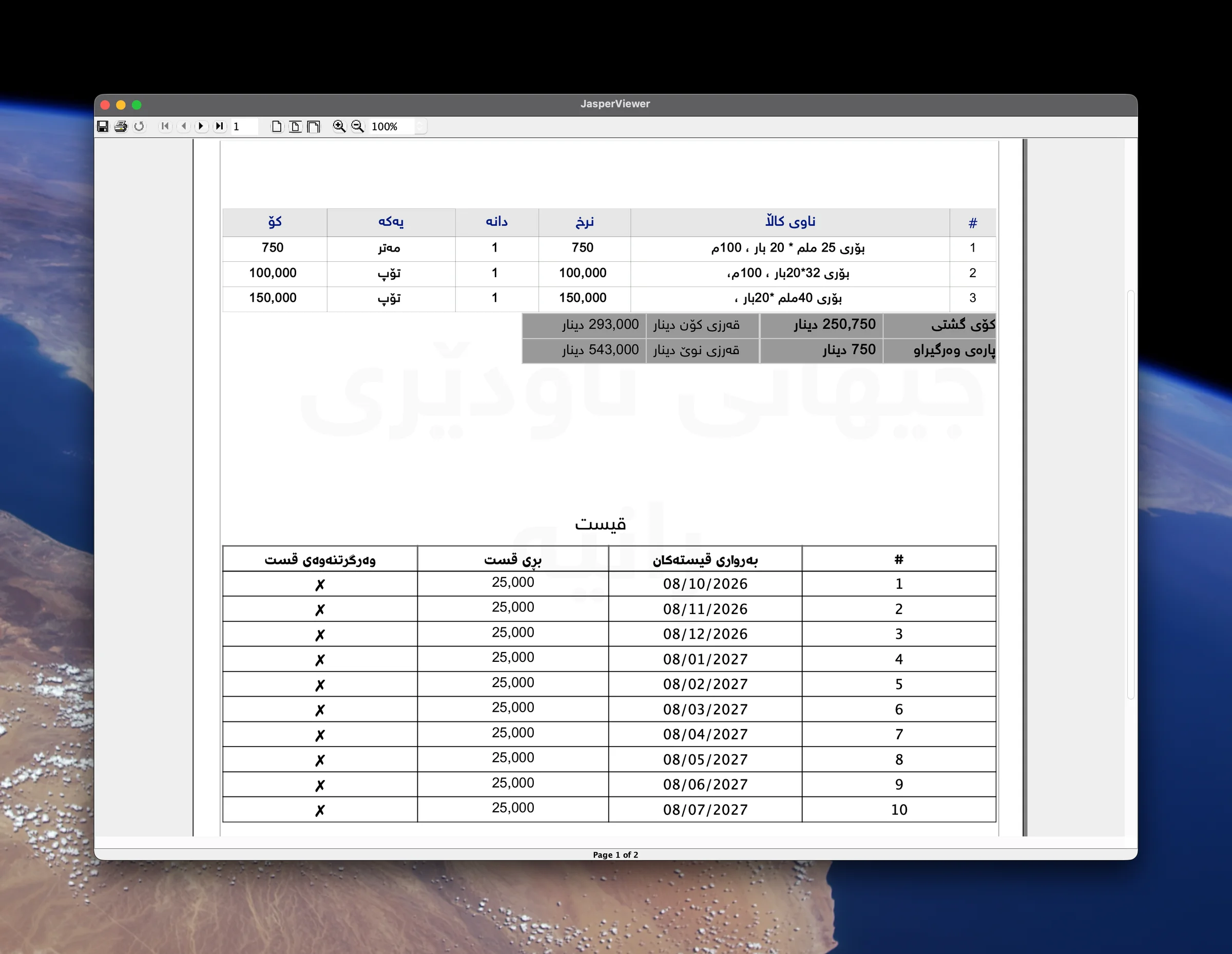
An invoice with the installment schedule
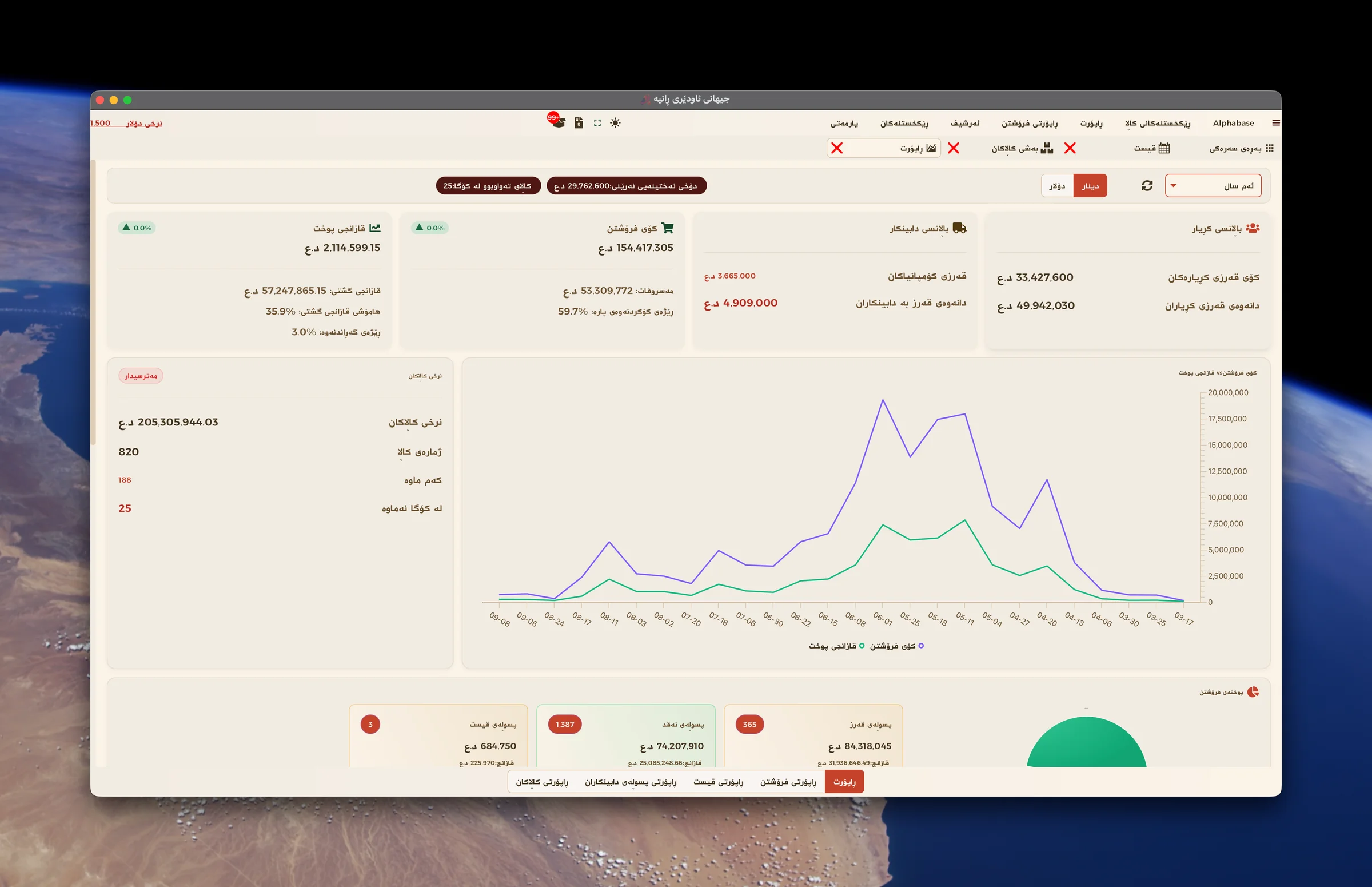
Sales, profit and stock
Daily problems
How Alphabase helps
What costs you time and money today.
Hard to find the right model?
Group furniture by type and find it by name or picture.
Customer balances spread across notebooks?
Keep invoices and payments in each customer’s account.
Unsure whose installment is due?
See this month’s and overdue installments together.
Unclear stock and profit?
Review quantities, sales and profit in reports.
How the work flows
- 01Group your furniture
- 02Choose the model
- 03Sell for cash, credit or installments
- 04Print the invoice
- 05Track balances and installments
Relevant features
Credit sales and part payments
Take a partial payment and keep the remainder on the customer’s account. Show the previous debt, payment and new balance on the invoice.
Installments in one view
Set installment amounts and dates, review due and overdue payments, record collections and print the payment schedule.
Know what is in stock
See remaining quantities, low stock and sold-out products. Record purchases and keep supplier accounts together.
A clear customer statement
Review invoices, returns and payments in one statement, with paid amounts and remaining balances.
Sales, costs and profit
Review sales, expenses, profit and inventory value, with dinar and dollar accounts.
Set it up for your shop
Choose your theme and font and use the features your business needs. Run everyday shop work offline.
Devices and integrations
- Shop computer
- Barcode scanner
- Receipt printer
- A4 printer for statements and installment schedules
Frequently asked questions
Are credit and installment sales supported?
Yes. Credit is recorded in the customer account, while installments have amounts and due dates with a printable schedule.
What if my shop does not use installments?
Disable features you do not need in settings and keep the application focused on your shop’s work.
Ready to start?
Contact us for a real demo built around your own business.